

The Backbone ofYour Entire Computer
System drivers are the silent heroes that keep your motherboard, chipset, and every critical component talking to each other — without them, your PC wouldn't even boot!
What System Drivers Control
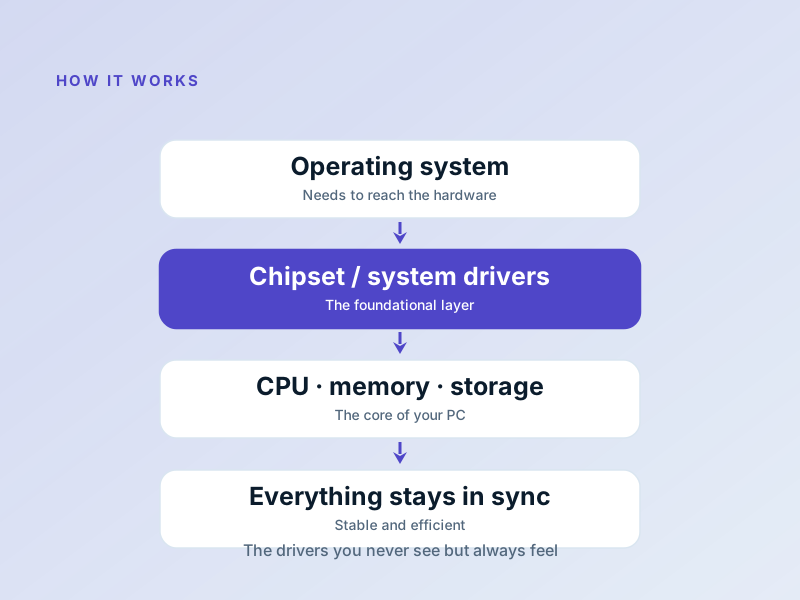
System drivers manage the lowest-level components of your PC: the chipset that connects everything, the power management that keeps things cool, and the memory controllers that shuttle data around at lightning speed!
They're so foundational that you should always install them first after a fresh OS install — everything else depends on them!
When Your System Gets Unstable
Random crashes or blue screens
Usually outdated chipset or power management drivers!
Storage drives not detected
Install latest chipset and storage controller drivers!
USB/ports not working after boot
Update motherboard chipset and USB controller drivers!
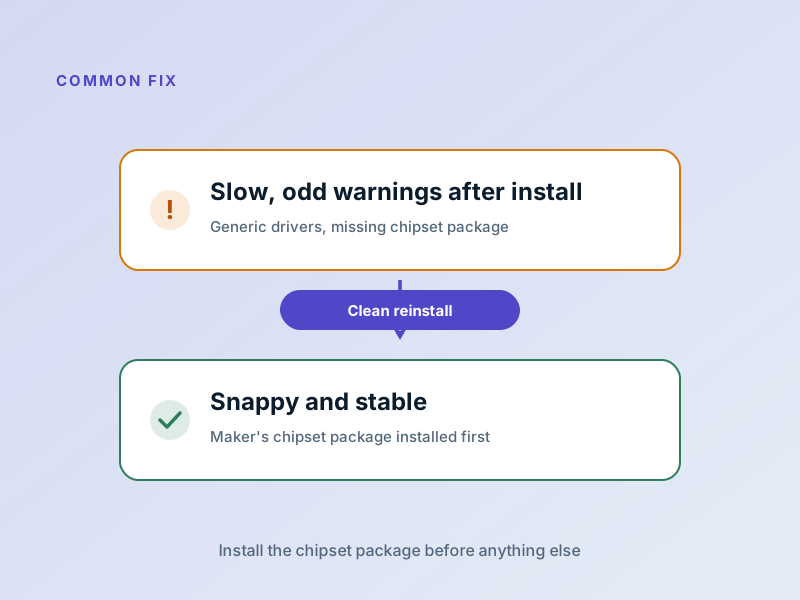
System driver issues often show up as random instability — always start with a chipset driver update from your motherboard maker!
Fix System Issues in 5 Steps
Update chipset drivers first
Always install motherboard chipset drivers first — everything else relies on them!
Update storage controller drivers
For SSD/HDD issues, get the latest storage driver from your motherboard or CPU maker!
Check BIOS/UEFI settings
Some system features need specific BIOS settings enabled to work properly!
Install power management software
For laptops, use the maker's power management software for best stability!
Verify memory settings
Run a memory test (Windows Memory Diagnostic) to rule out RAM issues!
Common System Driver Issues
The usual suspects and how to fix them!
| Issue | What it Means | The Fix |
|---|---|---|
BSOD (Blue Screen) | Critical system driver failure caused a crash! | Boot into Safe Mode and roll back or update the faulty driver! |
Boot Loop | System driver conflict preventing boot! | Use System Restore or boot from USB to repair drivers! |
Missing Storage | Storage controller driver not loaded! | Load chipset/storage drivers during OS install or update them! |
Slow Boot Times | Outdated system drivers delaying boot process! | Update chipset and all system-related drivers! |
Frequently Asked Questions
Questions we get asked most about system drivers!
Why install chipset drivers first after Windows install?
Do I need to update system drivers often?
Where do I get official system drivers?
Want to Learn About All Driver Types?
Understand the full spectrum from user-mode to kernel-mode, and when each is the right choice.